vol. 01·section B // №02 of 07·sunday, feb 1, 2026
howlongtobeat-core: A TypeScript API for Game Completion Times
Query HowLongToBeat.com programmatically. Learn how to search games, get completion times, and integrate HLTB data into your apps with this cross-runtime TypeScript library.
- filed
- feb 1, 2026
- read
- ~7 min
- length
- 1,258 words
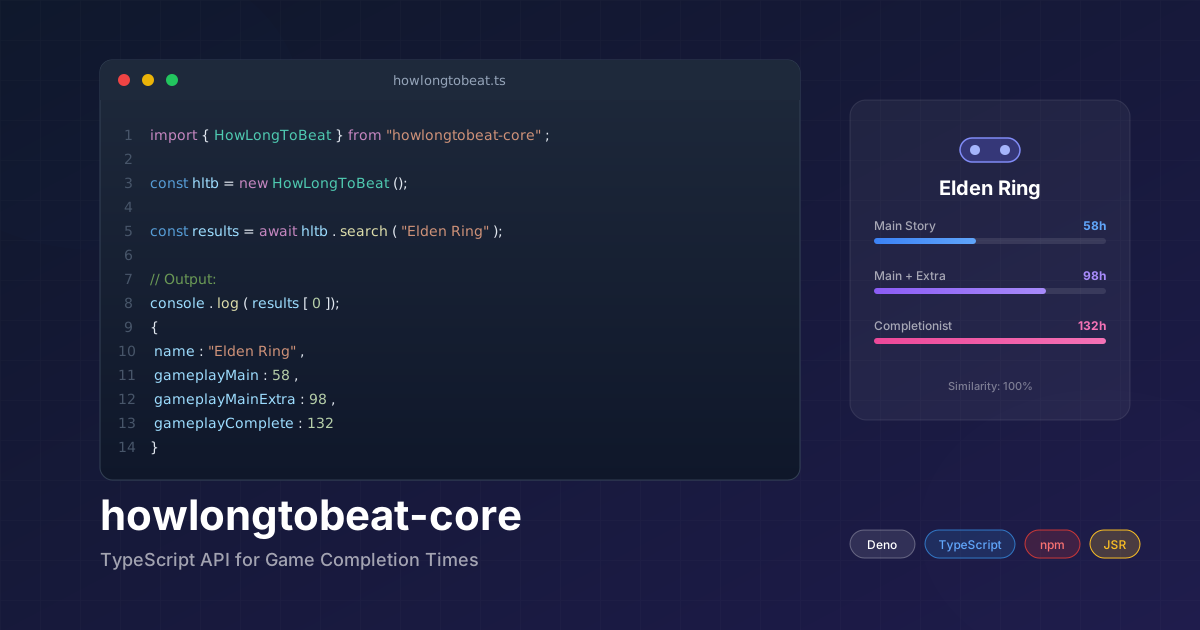
Ever wanted to know how long a game takes to beat before diving in? HowLongToBeat.com is the go-to resource for gamers, but there’s no official API. That’s where howlongtobeat-core comes in — a TypeScript library that lets you query game completion times programmatically.
import { HowLongToBeat } from "howlongtobeat-core";

const hltb = new HowLongToBeat();
const results = await hltb.search("Elden Ring");

console.log(results[0].gameplayMain); // 58 hours
Whether you’re building a backlog tracker, a Discord bot, or a gaming dashboard, this library gives you clean, type-safe access to HLTB data.
Why howlongtobeat-core?
I built this library while working on Beat The Backlog, a PWA for tracking your gaming backlog. I needed reliable access to game completion times, but existing solutions were either outdated, Node.js-only, or lacked TypeScript support.
Key goals:
- 🎮 Simple API — Search games, get times, done
- 🌐 Cross-runtime — Works in Deno, Node.js, and browsers
- 🔒 Type-safe — Full TypeScript definitions
- 📦 Dual distribution — Available on both JSR and npm
Installation
Deno
deno add jsr:@tapan/howlongtobeatOr import directly:
import { HowLongToBeat } from "jsr:@tapan/howlongtobeat";Node.js
# npm
npm install howlongtobeat-core

# pnpm
pnpm add howlongtobeat-core

# yarn
yarn add howlongtobeat-core
Quick Start
The simplest usage is searching for a game and accessing its completion times:
import { HowLongToBeat } from "howlongtobeat-core";

const hltb = new HowLongToBeat();

// Search for a game
const results = await hltb.search("The Witcher 3");

// Access the top result
const game = results[0];
console.log(`${game.name}`);
console.log(`  Main Story: ${game.gameplayMain}h`);
console.log(`  Main + Extra: ${game.gameplayMainExtra}h`);
console.log(`  Completionist: ${game.gameplayComplete}h`);
Output:
The Witcher 3: Wild Hunt
  Main Story: 52h
  Main + Extra: 111h
  Completionist: 173h
Core Methods
search() — Find Games by Name
Search for games with fuzzy matching. Returns an array of results sorted by similarity score.
const results = await hltb.search("zelda breath");

// Returns games like:
// - The Legend of Zelda: Breath of the Wild
// - The Legend of Zelda: Tears of the Kingdom
With options:
const results = await hltb.search("Dark Souls", {
  similarity: "levenshtein", // or "gestalt" (default)
  includeDlc: false,
  includeMods: false,
  includeHacks: false,
});
searchById() — Direct Lookup
If you know the HLTB game ID, you can fetch it directly:
// Elden Ring's HLTB ID is 68151
const game = await hltb.searchById(68151);

console.log(game.name); // "Elden Ring"
console.log(game.gameplayMain); // 58
console.log(game.imageUrl); // Cover image URL
getGameStats() — Statistics API
Fetch aggregated statistics about games:
const stats = await hltb.getGameStats({
  platform: "PC",
  year: 2024,
});

console.log(stats.popularGames);
console.log(stats.recentReleases);
Understanding the Response
Each game result includes these time fields (in hours):
| Field | Description |
|---|---|
gameplayMain | Main story only |
gameplayMainExtra | Main story + side content |
gameplayComplete | 100% completion |
gameplayAllStyles | Average across all playstyles |
Additional fields:
interface HowLongToBeatEntry {
  id: number;              // HLTB game ID
  name: string;            // Game title
  imageUrl: string;        // Cover image
  platforms: string[];     // Available platforms
  releaseYear: number;     // Release year
  similarity: number;      // Search relevance (0-1)

  // Time fields (hours)
  gameplayMain: number;
  gameplayMainExtra: number;
  gameplayComplete: number;
  gameplayAllStyles: number;

  // Multiplayer times (if applicable)
  multiplayerCoOp: number;
  multiplayerVersus: number;
}
Search Modifiers
Control what types of content appear in search results:
const hltb = new HowLongToBeat({
  searchModifiers: ["hide_dlc", "hide_mods"],
});

// Or per-search:
const results = await hltb.search("Skyrim", {
  includeDlc: true,    // Include DLC/expansions
  includeMods: false,  // Exclude mods
  includeHacks: false, // Exclude ROM hacks
});
Similarity Algorithms
The library supports two fuzzy matching algorithms:
Gestalt (Default)
Based on Python’s difflib.SequenceMatcher. Better for partial matches and typos.
const hltb = new HowLongToBeat({ similarity: "gestalt" });
const results = await hltb.search("witcher wild hunt");
// Matches: "The Witcher 3: Wild Hunt" (high score)
Levenshtein
Edit distance-based matching. Better for strict comparisons.
const hltb = new HowLongToBeat({ similarity: "levenshtein" });
const results = await hltb.search("Elden Ring");
// Exact matches score higher
Comparison:
// Same search, different algorithms
const gestalt = new HowLongToBeat({ similarity: "gestalt" });
const levenshtein = new HowLongToBeat({ similarity: "levenshtein" });

const g = await gestalt.search("dark souls 3");
const l = await levenshtein.search("dark souls 3");

console.log("Gestalt:", g[0].similarity);     // 0.87
console.log("Levenshtein:", l[0].similarity); // 0.92
Real-World Use Cases
Discord Bot Command
import { HowLongToBeat } from "howlongtobeat-core";

async function handleHltbCommand(gameName: string) {
  const hltb = new HowLongToBeat();
  const results = await hltb.search(gameName);

  if (results.length === 0) {
    return "Game not found!";
  }

  const game = results[0];
  return `
**${game.name}**
🎮 Main Story: ${game.gameplayMain}h
📖 Main + Extra: ${game.gameplayMainExtra}h
🏆 Completionist: ${game.gameplayComplete}h
  `.trim();
}
Backlog Time Calculator
import { HowLongToBeat } from "howlongtobeat-core";

async function calculateBacklogTime(gameNames: string[]) {
  const hltb = new HowLongToBeat();
  let totalHours = 0;

  for (const name of gameNames) {
    const results = await hltb.search(name);
    if (results.length > 0) {
      totalHours += results[0].gameplayMain;
    }
  }

  const days = Math.floor(totalHours / 24);
  return `Your backlog: ${totalHours}h (${days} days of non-stop gaming!)`;
}

// Usage
const backlog = ["Elden Ring", "Baldur's Gate 3", "Persona 5 Royal"];
console.log(await calculateBacklogTime(backlog));
// "Your backlog: 211h (8 days of non-stop gaming!)"
Game Comparison
import { HowLongToBeat } from "howlongtobeat-core";

async function compareGames(game1: string, game2: string) {
  const hltb = new HowLongToBeat();

  const [r1, r2] = await Promise.all([
    hltb.search(game1),
    hltb.search(game2),
  ]);

  const g1 = r1[0];
  const g2 = r2[0];

  console.log(`${g1.name}: ${g1.gameplayMain}h`);
  console.log(`${g2.name}: ${g2.gameplayMain}h`);
  console.log(`Difference: ${Math.abs(g1.gameplayMain - g2.gameplayMain)}h`);
}

await compareGames("Elden Ring", "Dark Souls 3");
// Elden Ring: 58h
// Dark Souls III: 32h
// Difference: 26h
Technical Deep Dive
How It Works
Since HowLongToBeat doesn’t provide a public API, this library reverse-engineers their internal endpoints:
- Auth Token — Fetches a session token from
/api/search/init - Dynamic Endpoints — Parses their JavaScript bundles to find current API paths
- Search Requests — Sends properly formatted POST requests with the token
- Response Parsing — Transforms raw data into typed TypeScript objects
Cross-Runtime with DNT
The library is built with Deno and uses DNT (deno-to-node) to generate Node.js-compatible packages:
src/ (Deno)
  ↓ dnt build
npm/ (Node.js)
  ├── esm/   (ES Modules)
  └── script/ (CommonJS)
This ensures the same codebase works everywhere:
// Deno
import { HowLongToBeat } from "jsr:@tapan/howlongtobeat";

// Node.js (ESM)
import { HowLongToBeat } from "howlongtobeat-core";

// Node.js (CommonJS)
const { HowLongToBeat } = require("howlongtobeat-core");
What I Learned
-
API reverse engineering requires patience — Analyzing network requests, understanding payload structures, and handling edge cases takes time but is incredibly rewarding.
-
Cross-runtime TypeScript is possible — With DNT, you can write once and publish everywhere. The Deno-first approach actually makes this easier.
-
Similarity algorithms matter — Gestalt and Levenshtein have different strengths. Offering both gives users flexibility for their specific use case.
-
Type safety helps everyone — Full TypeScript definitions make the library easier to use and catch bugs at compile time.
Try It Out
Get started in seconds:
# Deno
deno add jsr:@tapan/howlongtobeat

# Node.js
npm install howlongtobeat-core
Then:
import { HowLongToBeat } from "howlongtobeat-core";

const hltb = new HowLongToBeat();
const results = await hltb.search("Your favorite game");
console.log(results[0]);
Links:
Building tools for gamers, one API at a time. If you use this library in a project, I’d love to hear about it!